Tutorial: Manipulate surface roughness
The goal with morphman-surface is to control level of high-frequent noise on
the surface, or surface roughness if you like, see Figure 1. To achieve this we
either remove or add points to the Voronoi diagram. An advantage of this, compared
to more classical smoothing methods, is that the change in surface is purely local,
and does not effect the cross-sectional area.

Figure 1: An illustration of the goal of morphman-surface.
In this tutorial, we are using the model with
ID C0005
from the Aneurisk database. For the commands below we assume that there
is a file ./C0005/surface/model.vtp, relative to where you execute the command.
Performing the manipulation can be achieved by running morphman-surface in the terminal, followed by the
respective command line arguments. Alternatively, you can execute the Python script directly,
located in the morphman subfolder, by typing python manipulate_surface.py. We have also created a
demo folder where we show how to run this tutorial from a Python script, please check out the code from GitHub to
run the demos.
Shown in Figure 2 is the result of smoothing the surface.
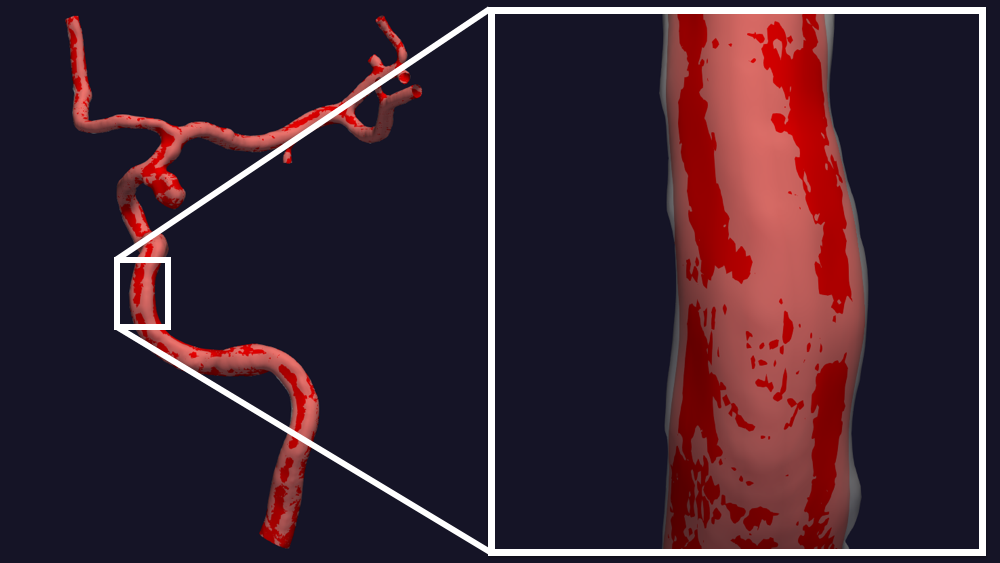
Figure 2: Remove high-frequent noise from the surface.
You can reproduce the results in Figure 2 by running the following command:
morphman-surface --ifile C0005/surface/model.vtp --ofile C0005/surface/smooth.vtp --poly-ball-size 250 250 250
Shown in Figure 2 is the result of adding noise to the surface.

Figure 3: Add high-frequent noise to the surface.
You can reproduce the results in Figure 3 by running the following command:
morphman-surface --ifile C0005/surface/model.vtp --ofile C0005/surface/noise.vtp --poly-ball-size 250 250 250 --smooth False --noise True --frequency 0 --frequency-deviation 1 -l 0.8 -u 0.9 --radius-min 1.1 --radius-max 1.5
For additional information, beyond this tutorial, on the script and
input parameters, please run morphman-surface -h or confer with
the manipulate_surface().